Most teams didn’t fail with AI because the models were weak. They failed because they tried to ship “vibe-coded” UI into deterministic systems.
If you’re a product manager using AI today, you’ve already seen the pattern: the model generates something impressive in seconds, then your designer rewrites it, engineering rejects half of it, and your sprint slows down instead of speeding up. That hidden overhead is the verification tax ,and it’s why most AI workflows quietly collapse after the demo phase.
AI for product managers only works when the PRD becomes executable architecture instead of inspiration material. That shift changes everything.
Overcoming the Friction: Core AI Challenges Between Product and Design
Most guides say AI speeds up product workflows automatically. That’s wrong because they ignore the structural mismatch between probabilistic generation and deterministic software systems.
Here’s where things actually break.
The Verification Tax: Why Generic AI Generates Technical Debt
The verification tax is what happens when generation is fast but correction is slow.
A model produces a dashboard in seconds. Then:
- the charts don’t match your schema
- the empty states are missing
- accessibility constraints are ignored
- transitions don’t exist
Your designer fixes structure. Engineering fixes logic. You fix expectations.
Velocity disappears.
This is why teams moving from isolated prompts to structured workflows often start by studying how designers actually use AI in real projects instead of experimenting screen-by-screen.
The Purple Slop Phenomenon: Protecting Figma Design Systems
“Purple slop” is what happens when AI invents typography scales, spacing rules, and hex codes that don’t exist in your system.
It looks polished. It’s unusable.
When PMs generate unconstrained UI:
- token hierarchies break
- accessibility contrast collapses
- component parity disappears
- engineering mappings fail
Most teams treat this as a tooling problem. It’s a workflow problem.
AI must behave like a compiler for your constraints ,not an artist improvising layouts.
How Product Managers Use AI in the Design Process
AI for product managers works when the PRD stops being documentation and starts being executable structure.
That means replacing linear handoffs with spec-driven architecture.
Moving from Static PRDs to Flow Architecture
Traditional workflow: PRD → wireframes → mockups → developer interpretation
Modern workflow: Executable PRD → constrained flow generation → production-ready structure
Instead of drawing boxes, you define:
- state transitions
- edge cases
- data dependencies
- error handling
- loading behavior
Then the system generates the flow.
This removes the biggest blind spot in AI wireframing: missing transitions.
It also solves the exact friction described in Blank Canvas Syndrome ,where teams stall because structure isn’t defined early enough.
Executable Developer Handoffs: Text-to-React Workflows
Static Figma frames create interpretation layers. Interpretation creates drift.
Spec-driven workflows remove that translation step entirely.
Instead of handing engineers visual intent, you export:
- token-aligned structure
- validated state logic
- component-mapped layouts
- code-compatible flows
When architecture exists before visuals, handoff stops being negotiation.
It becomes execution.
Teams that already experiment with production-ready AI design prompts used in SaaS workflows usually discover this shift first.
Integrating Constraint-Aware AI Prototyping Tools
Most AI prototyping fails because it starts with generation instead of constraints.
Constraint-aware workflows invert that order.
Enforcing Style Consistency and Token Locking
Before generation starts, your system must ingest:
- typography scales
- spacing rules
- semantic color palettes
- component states
Otherwise the model invents structure.
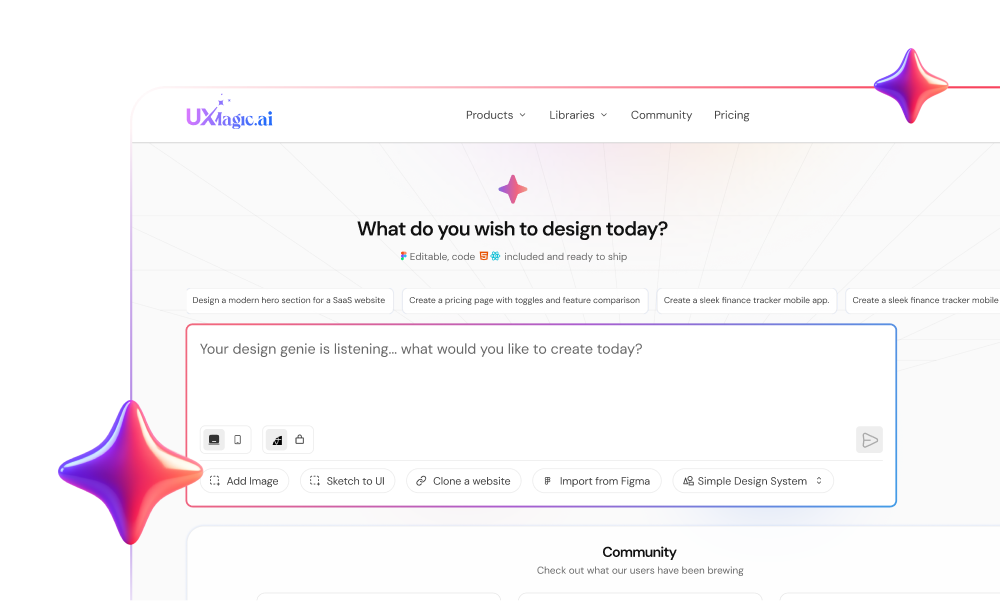
This is exactly where UXMagic fits into the workflow.
Instead of requiring designers to clean hallucinated layouts later, UXMagic locks brand tokens before generation begins. That prevents aesthetic drift at the source rather than fixing it downstream.
It’s not faster because it generates more screens. It’s faster because those screens are already usable.
AI for Product Managers: Flow Mode Replaces Screen Prompts
Single-screen prompting is the fastest way to create architectural debt.
Flows are the real interface.
Constraint-aware environments solve this with sequence-based generation instead of isolated outputs. For example:
Dashboard → filter modal → loading state → error toast → success redirect
Mapping transitions early exposes:
- missing backend dependencies
- broken conditional logic
- invalid assumptions about user behavior
UXMagic’s Flow Mode does this automatically by forcing edge cases and empty scenarios into the architecture before engineering begins.
That turns AI from a sketch generator into a structural QA layer.
Neutralizing Context Amnesia with Persistent Memory
Context amnesia is the reason most PMs abandon AI after the first month.
Every session starts from zero:
personas PRDs tokens constraints feature history
You rebuild the same context repeatedly.
Persistent-memory systems solve this using Retrieval-Augmented Generation (RAG), which allows AI to reference stored workspace knowledge automatically.
That shifts the PM role from repeating instructions to interrogating outputs.
It also aligns with the broader shift toward human-in-the-loop AI design workflows, where models generate structure and humans enforce intent.
Evaluating AI Product Management Courses: Reforge vs. CraftUp
The idea of becoming an “AI product manager” through certification is misleading.
AI is not a specialization. It’s infrastructure.
The real capability shift is editorial, not technical.
Modern PM responsibilities now include:
- probing model assumptions
- identifying hallucinated states
- validating structural logic
- curating probabilistic outputs
Courses help with framing. They don’t replace workflow integration.
The teams that succeed aren’t the ones with prompt engineers. They’re the ones with constraint-aware pipelines.
AI doesn’t speed up product workflows by generating more screens, it speeds them up by generating constraint-aware architecture. When your PRD becomes executable structure instead of static documentation, handoffs shrink, verification drops, and design systems stay intact. The teams winning in 2026 aren’t prompting better, they’re compiling intent directly into production-ready flows.
Generate Token-Locked Product Flows Faster
Stop fixing hallucinated UI after handoff. Use UXMagic to turn structured PRDs into system-aligned flows and production-ready components in minutes.